-1.png?width=1150&height=344&name=Priceline%20Agoda%20Global%20Partner%20Services_Full%20Logo%20(23)-1.png)
.png)
Get help instantly, anytime, with our virtual assistant
The Partner Portal virtual assistant gives you guided, step-by-step answers 24/7, and lets you submit a request to our support team in a few clicks if you still need help.
| • Available 24/7, no queue | • Guided, step-by-step answers |
| • Submit a support request in a few clicks | • Found in the bottom-right of Partner Portal |
Running a property means your time matters. That's why we built our virtual assistant right into Partner Portal, ready to guide you 24/7, no waiting in a queue required.
Whether you have a quick question about a payment or need to update your property settings, our virtual assistant walks you through it step by step. If it can't fully resolve your question, you can submit a request to our support team in just a few clicks.
- Faster answers: skip the wait and get guided help right away
- Available 24/7: get support on your schedule, wherever you are
- Less effort: no need to re-explain your issue from scratch
- Consistent, reliable guidance: the same accurate answers, every time
Where to find it
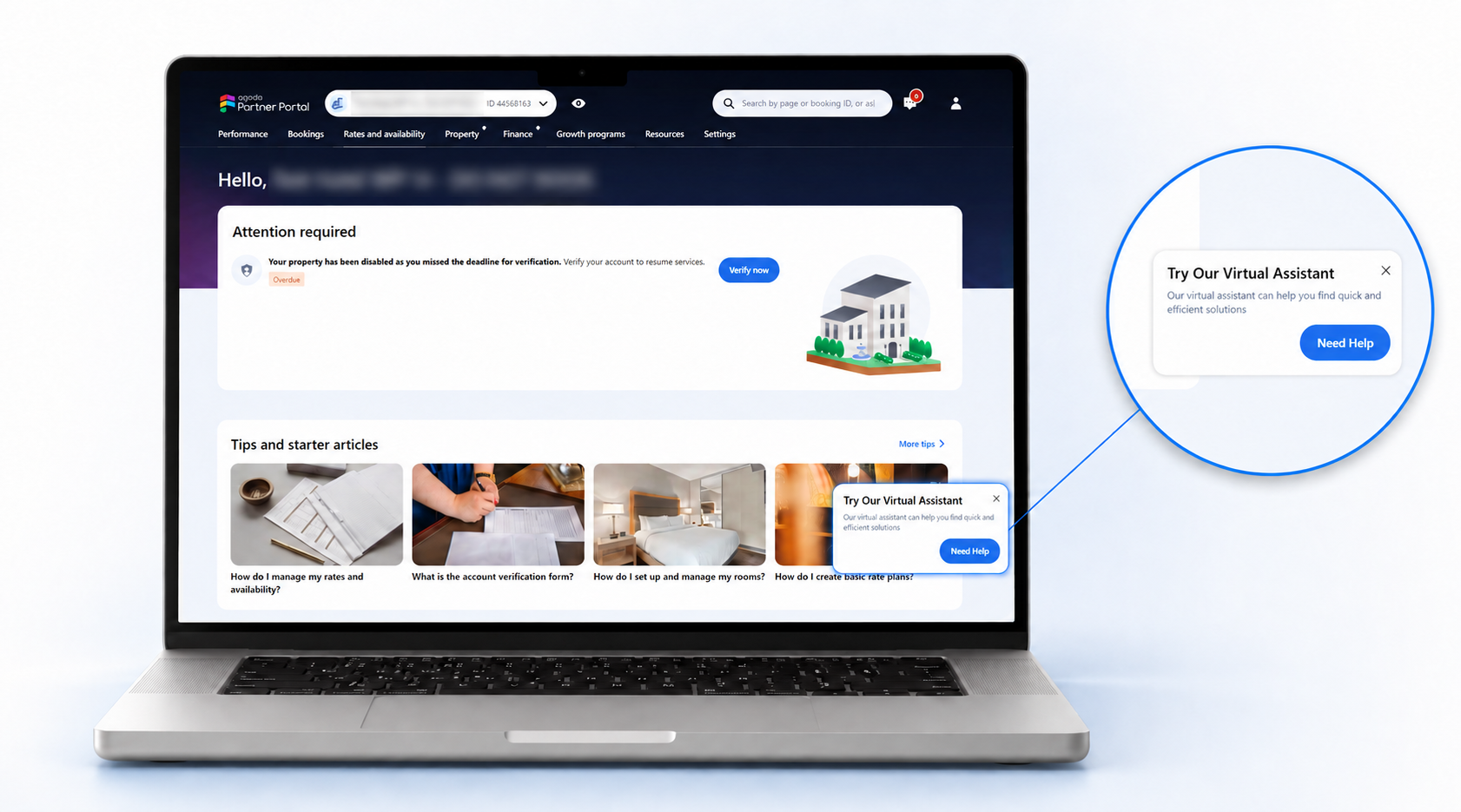
Look for the Need Help button in the bottom-right corner of your Partner Portal screen. It's available on most pages, so help is always just one click away.
What can our virtual assistant assist you with?
Our virtual assistant can guide you through a wide range of everyday topics, including:
How it works
- Click Need Help wherever you see it in your Partner Portal.
- Tell us what's going on: type your question, browse FAQs, or choose from popular topics.
- Follow the guided steps: our virtual assistant walks you to the answer or action, right in the chat.
Can't find what you're looking for?
No problem, you can submit a request to our support team directly from the chat:
- Select Contact Priceline Agoda in the chat.
- Click Submit request.
- Your request goes into our support team's queue, so you don't have to repeat yourself when they follow up.
© 2026 Priceline.com and Agoda.com. All rights reserved.