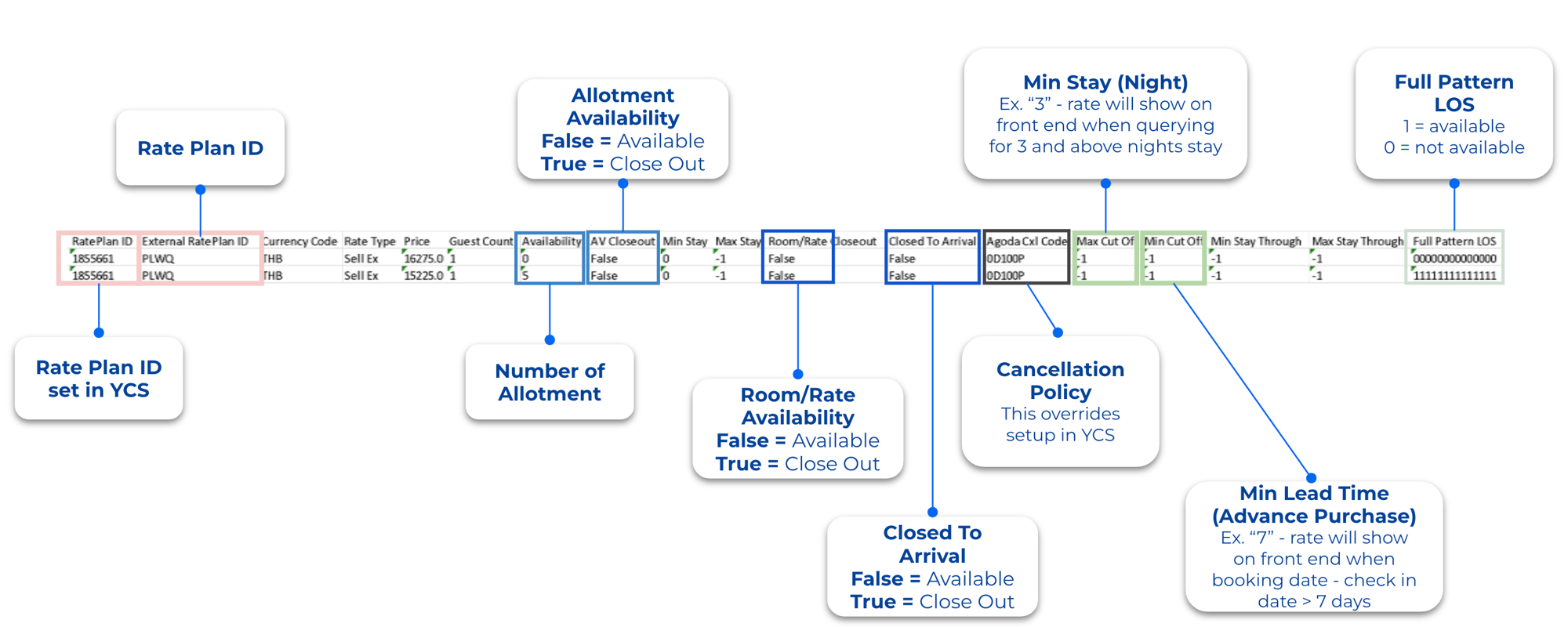
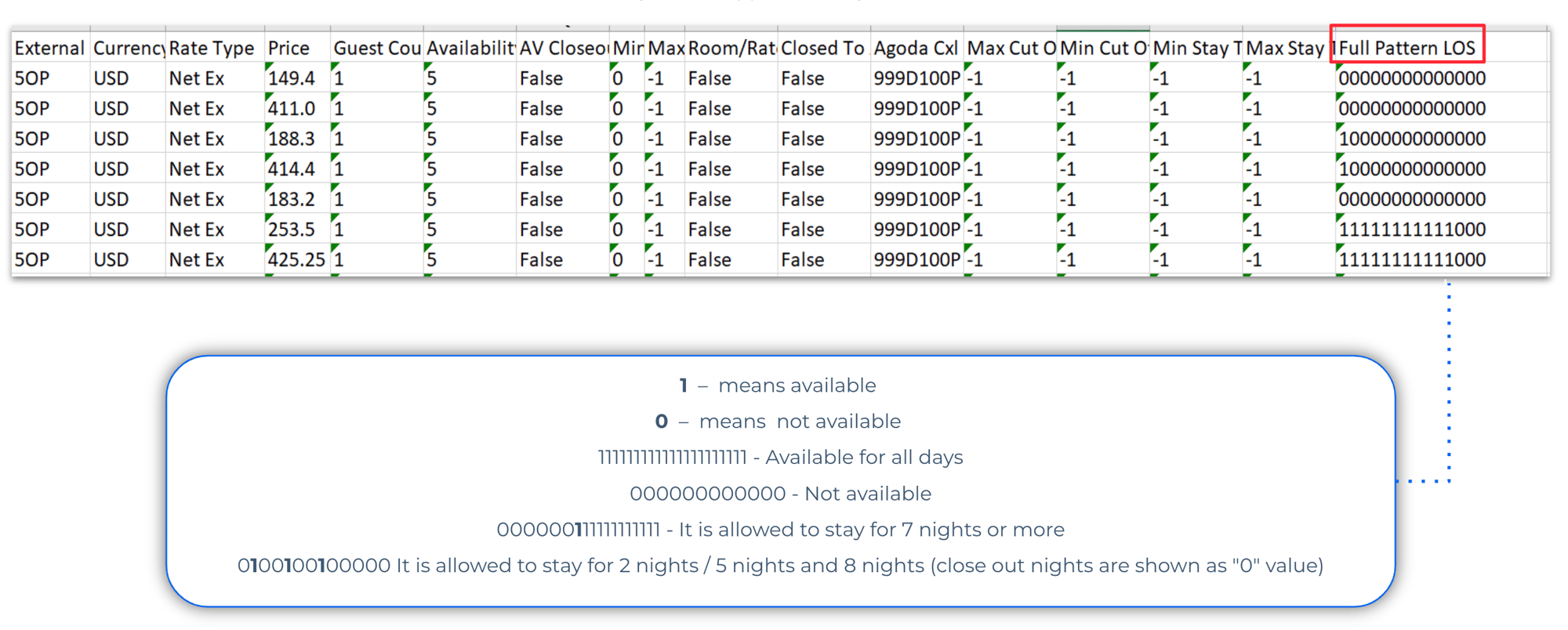
Below are step-by-step instructions on navigating to the ARI Report in Partner Portal.
1. Go to Rates & Availability → Agoda ARI. 2. Select the desired date range (up to 28 days). 3. Apply filters for specific room types or rate plans if needed. 4. Download the report in Excel format.
@2x%20(1).png?width=250&height=75&name=GPS(White)@2x%20(1).png "GPS(White)@2x (1)")
.png?width=1776&height=230&name=image%20(19).png "image (19)")

@3x.png?width=150&height=45&name=GPS(color)@3x.png "GPS(color)@3x")